

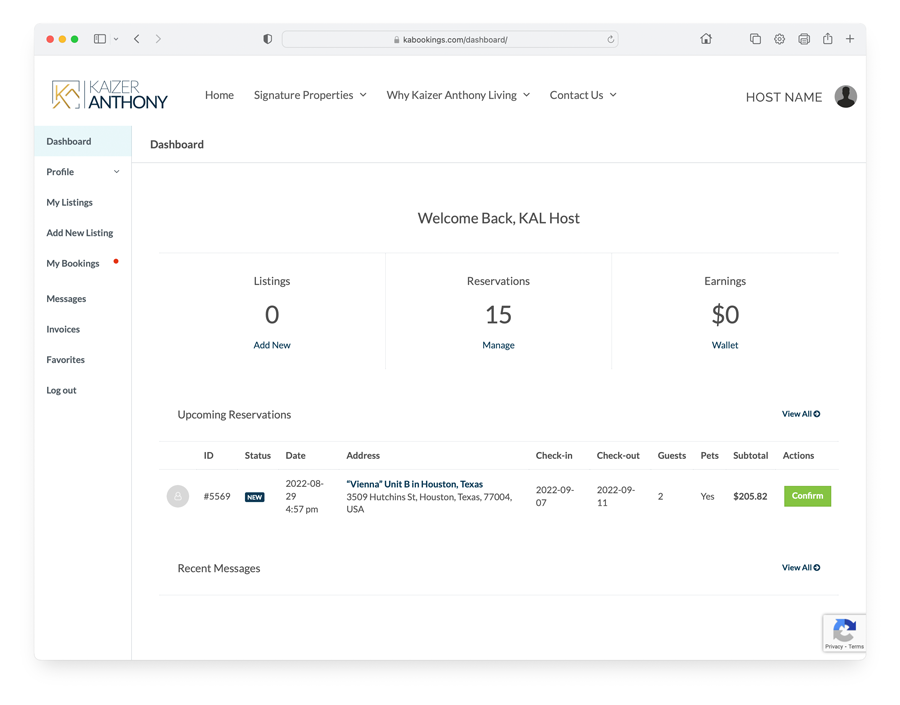
The admin dashboard presents an introductory section (Homepage) from where the site administrator can have an overview of what happens on his site. The most important information such as new listings or new reservations is immediately visible and ready to be managed.
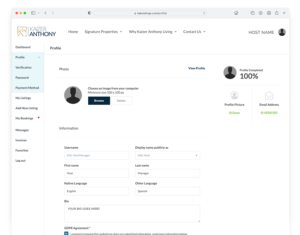
KABookings is able to accept payments, deposits, and service fees. As a site administrator, you can set how much initial payment you want the client to deposit while booking.
KABookings offers the following options:
Locate the Pricing tab in the Listing Details (when creating or adding a New Listing) panel to add all the information about prices.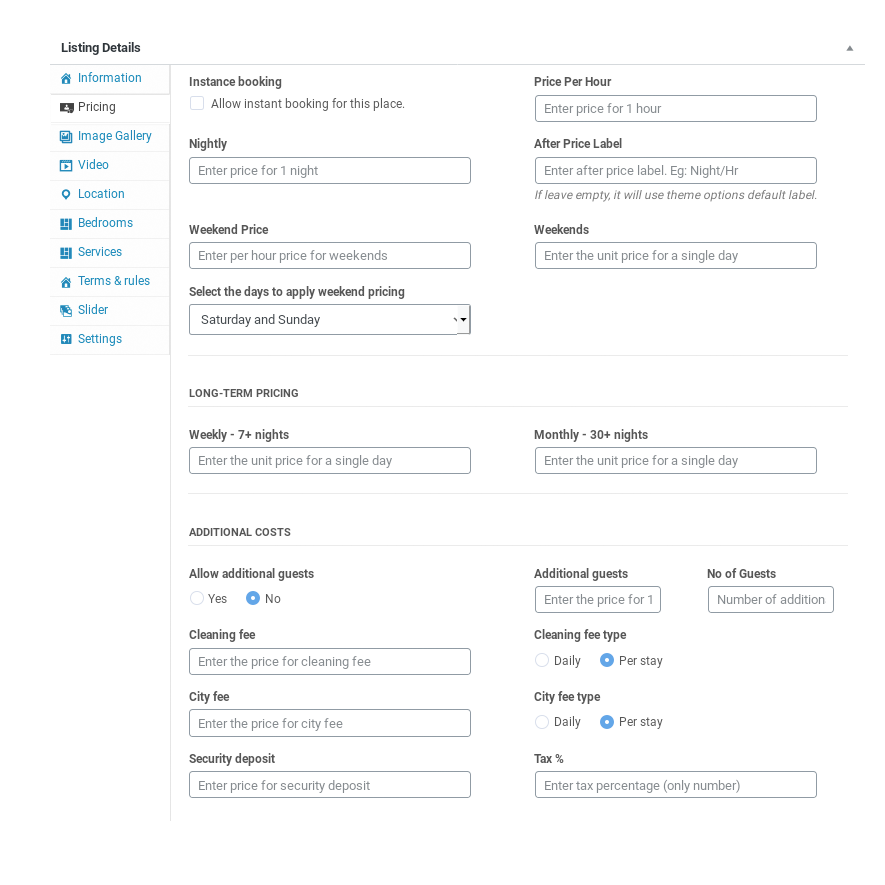
Locate the Image Gallery tab in the Listing Details panel to upload the listing gallery images.
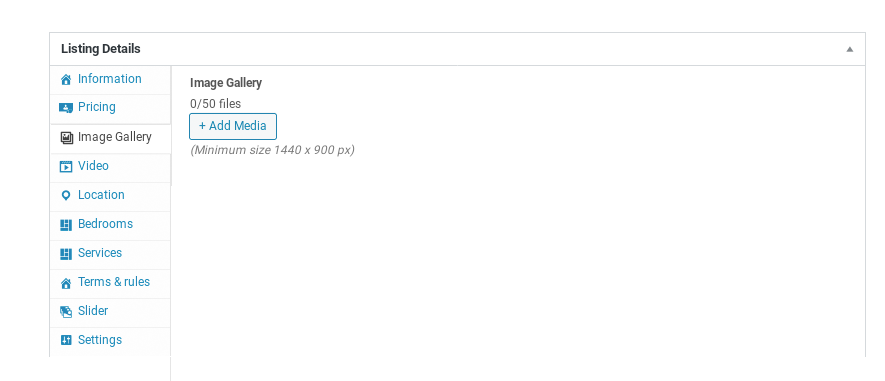
IMPORTANT: The images must be at least 1440 pixels wide or they will not upload and you may get an error.
Lorem ipsum dolor sit amet, consectetur adipiscing elit. Morbi est quam, volutpat et arcu eu, pharetra congue augue. Integer vel nibh eu eros interdum commodo. Vivamus finibus fringilla libero, id consectetur purus sollicitudin vel. Proin dapibus ante et pharetra luctus. Ut lacinia ante ut nunc pellentesque auctor. Proin laoreet erat sed ornare molestie. Fusce vehicula ut nulla facilisis vulputate. Quisque vel purus ac lectus tempus viverra. Maecenas at sem at erat pellentesque hendrerit nec in massa. Vestibulum nec lacinia dui, a congue ex. Vivamus ac ultricies mauris. Suspendisse commodo tempus suscipit. Nunc malesuada eu tortor in hendrerit.
Lorem ipsum dolor sit amet, consectetur adipiscing elit. Morbi est quam, volutpat et arcu eu, pharetra congue augue. Integer vel nibh eu eros interdum commodo. Vivamus finibus fringilla libero, id consectetur purus sollicitudin vel. Proin dapibus ante et pharetra luctus. Ut lacinia ante ut nunc pellentesque auctor. Proin laoreet erat sed ornare molestie. Fusce vehicula ut nulla facilisis vulputate. Quisque vel purus ac lectus tempus viverra. Maecenas at sem at erat pellentesque hendrerit nec in massa. Vestibulum nec lacinia dui, a congue ex. Vivamus ac ultricies mauris. Suspendisse commodo tempus suscipit. Nunc malesuada eu tortor in hendrerit.
The admin dashboard presents an introductory section (Homepage) from where the site administrator can have an overview of what happens on his site. The most important information such as new listings or new reservations is immediately visible and ready to be managed.
KABookings is able to accept payments, deposits, and service fees. As a site administrator, you can set how much initial payment you want the client to deposit while booking.
KABookings offers the following options:
*** Please note: If you set a partial payment, such as only service fees or deposit only, the balance must be paid locally to the host
Locate the Pricing tab in the Listing Details (when creating or adding a New Listing) panel to add all the information about prices.
Locate the Image Gallery tab in the Listing Details panel to upload the listing gallery images.
IMPORTANT: The images must be at least 1440 pixels wide or they will not upload and you may get an error.
Lorem ipsum dolor sit amet, consectetur adipiscing elit. Morbi est quam, volutpat et arcu eu, pharetra congue augue. Integer vel nibh eu eros interdum commodo. Vivamus finibus fringilla libero, id consectetur purus sollicitudin vel. Proin dapibus ante et pharetra luctus. Ut lacinia ante ut nunc pellentesque auctor. Proin laoreet erat sed ornare molestie. Fusce vehicula ut nulla facilisis vulputate. Quisque vel purus ac lectus tempus viverra. Maecenas at sem at erat pellentesque hendrerit nec in massa. Vestibulum nec lacinia dui, a congue ex. Vivamus ac ultricies mauris. Suspendisse commodo tempus suscipit. Nunc malesuada eu tortor in hendrerit.
Lorem ipsum dolor sit amet, consectetur adipiscing elit. Morbi est quam, volutpat et arcu eu, pharetra congue augue. Integer vel nibh eu eros interdum commodo. Vivamus finibus fringilla libero, id consectetur purus sollicitudin vel. Proin dapibus ante et pharetra luctus. Ut lacinia ante ut nunc pellentesque auctor. Proin laoreet erat sed ornare molestie. Fusce vehicula ut nulla facilisis vulputate. Quisque vel purus ac lectus tempus viverra. Maecenas at sem at erat pellentesque hendrerit nec in massa. Vestibulum nec lacinia dui, a congue ex. Vivamus ac ultricies mauris. Suspendisse commodo tempus suscipit. Nunc malesuada eu tortor in hendrerit.